




































Bauwise software capability — Available March 2026

Construction Tender Management

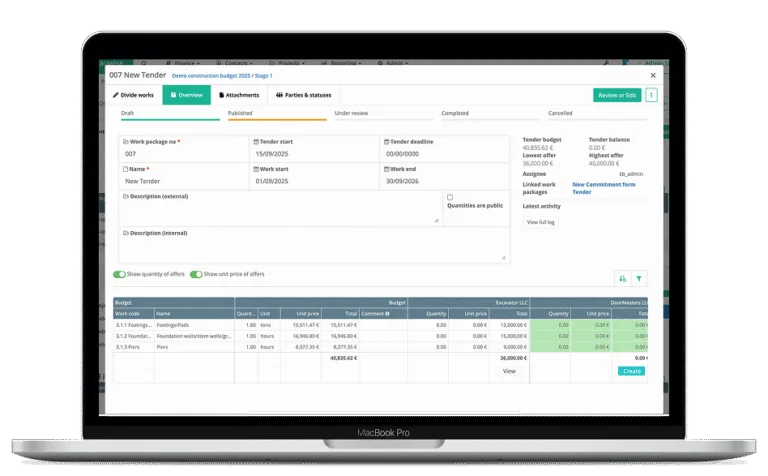
Create tender packages directly from budget lines, identify qualified bidders through the Bauwise database, and issue invitations to tender (ITT). Provide secure, login-free access for bidders to submit RFQs and compile all bids into an automatically generated comparison table. Ensure full traceability by linking every bid and award back to the budget lines and cost codes. Provide a strategic procurement plan overview for executives, project teams and other construction stakeholders.

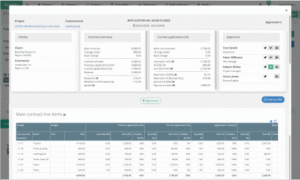
Construction Tender Management Desktop UI

Trusted by 6000+ Construction Professionals

Bauwise streamlines construction tender management to simplify tender creation process, identify qualified bidders, track RFQ submissions, reduce delays and improve procurement outcomes.

> 0 %

Increase in construction project profitability

0 %

Fewer Monthly Project Meetings

0 %

less time on preparing financial reports

Bauwise Construction Tender Management​ Capabilities

Bauwise Construction Tender Management - Tender Creation Directly from Project Budget

Tender Creation Directly from Project Budget

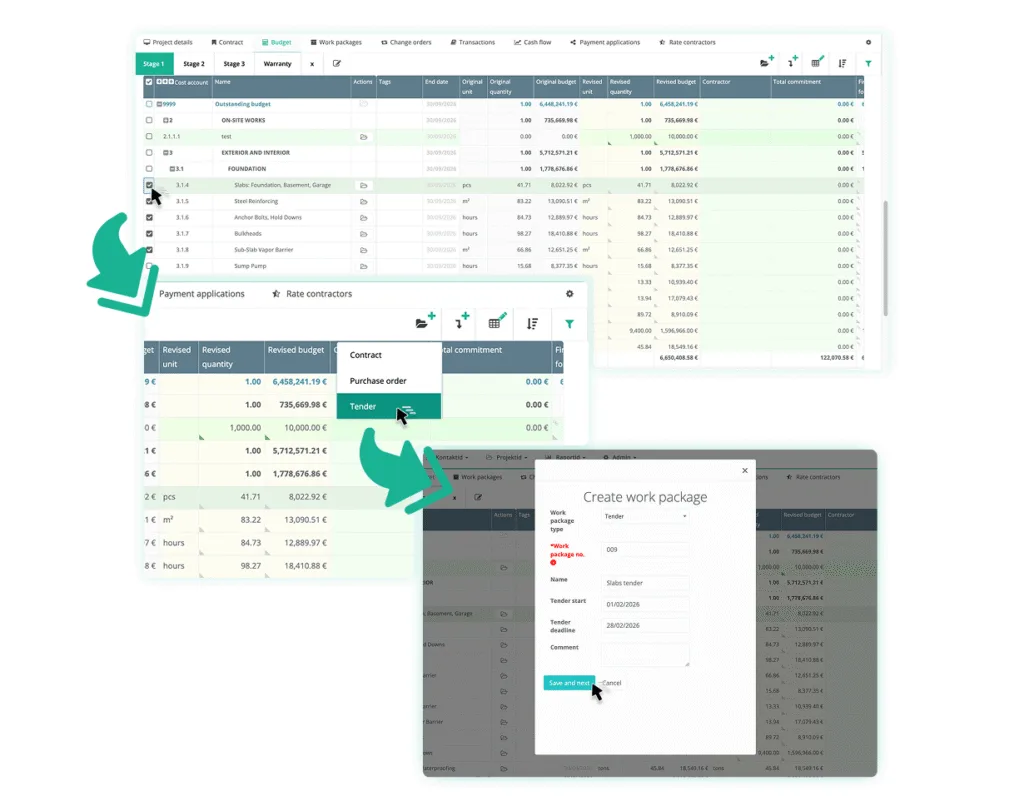
Create tender packages directly from budget lines. Define tender line items to match the intended pricing structure and improve clarity in contractor responses. The breakdown ensures that incoming pricing aligns with the cost control framework and project budget, delivering detailed, comparable and consistent tender quotations across all bidders.

  • Select relevant budget lines and allocate a percentage or specific monetary value from each line to the tender scope
  • Split or reorganize line items into smaller components, or expand them to match the required level of pricing detail
  • Access detailed tender evaluation analysis
  • Reuse created breakdown structure for Application for Payment (AFP) progress tracking once tender has been awarded
Bauwise Construction Tender Management - Tender Document Sharing & File Management

Tender Document Sharing & File Management

Distribute and manage all tender documentation in one centralized platform to ensure bidders work with complete, accurate, and up-to-date information. Attach tender-related documents directly to the tender package — eliminate manual email distribution, and maintain tender version consistency throughout the process. Provide controlled tender package access to improve scope clarity for bidders, minimize submission mistakes, and streamline bid delivery for higher-quality responses.

  • Upload drawings, specifications, schedules, and technical documents to the tender package
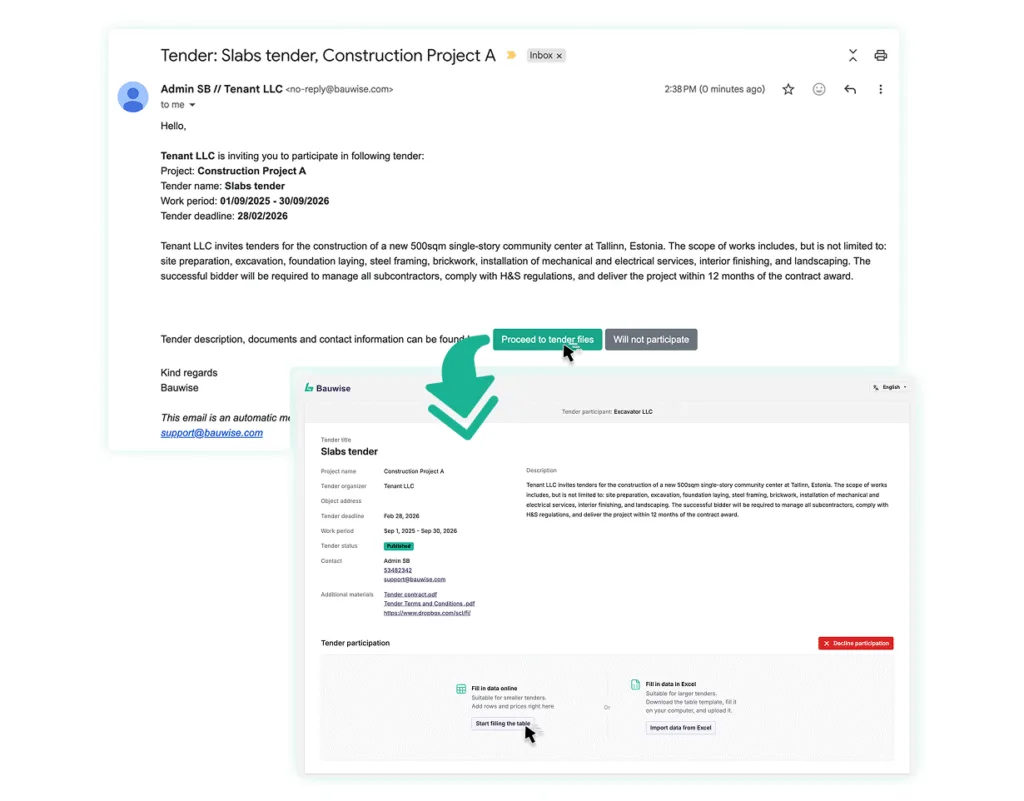
  • Provide a dedicated tender link for pre-selected subcontractors and suppliers to securely access tender documents
  • Add external file storage links such as cloud drives
  • Audit and trace all shared tender files
Bauwise Construction Tender Management - Bidder Pre-Selection & Invitation to Tender Distribution

Bidder Pre-Selection & Invitation to Tender (ITT) Distribution

Use the Bauwise contractor and supplier database to quickly find qualified bidders and prepare targeted lists in minutes. Send Invitations to Tender to multiple bidders with a single action — reduce administrative workload and enhance procurement outcome reliability.

  • Tag and filter contacts by trade category, specialization, past project performance, or create custom tags
  • Use multiple tags and filters to refine the target bidder lists
  • Review historical performance ratings from other project teams — maintain quality standards by avoiding underperforming contractors and suppliers
  • Send Request for Quotation (RFQ) to company-level emails or directly to designated contacts
  • Trace all sent ITTs through Bauwise
Bauwise Construction Tender Management - Bidder Portal & Submission Workflow

Bidder Portal Access & Submission Workflow

Provide pre-selected bidders with a secure encrypted link to instantly access tender documents without requiring an account or login. Allow suppliers and contractors to submit proposals by completing an online Request for Quotation (RFQ) form. Alternatively, they can download a structured system-generated Excel file, fill it in offline, and upload it back to the platform. Enable multiple submission rounds for bidders to refine pricing or provide updated documents. Store all submitted support documentation to ensure compliance and a fair tender award process.

  • Allow bidders to attach additional documents such as technical sheets, certificates, drawings, and clarifications
  • Enable bidders to declare non-participation directly from the portal or via email
  • Receive automatic email notifications showing status updates for each bidder’s submission
  • Issue deadline and update notifications to keep bidders informed throughout the process
  • Access all tender documents and bidder-provided pricing in one centralized platform
Bauwise Construction Tender Management - Bidder Activity Tracking & Communication Monitoring

Bidder Activity Tracking & Communication Monitoring

Gain full visibility into bidder activity and tender progress by tracking who has opened the Invitation to Tender (ITT), their participation status, submission status, and any attached documents. Identify when follow-up is required and issue reminders directly from the system to improve response rates, keep the bidding process active and ensure deadlines are met.

  • Monitor bid submission statuses and identify contractors and suppliers who declined participation
  • Maintain a time-stamped log of all bidder actions for each tender
  • Identify inactive or delayed bids
  • Maintain a full audit trail for all procurement actions
  • Support decision-making with real-time data
Construction Tender Management,Construction Tender,RFQ,bidders,construction cost management Construction Tender Management

Bid Comparison & Tender Award

Compile all bids into an automatically generated, configurable comparison table. Adjust figures when clarifications or amendments are provided to maintain transparency and consistent data sets. Convert selected bids into purchase orders (POs) or contracts, with all commitments automatically linked back to the original tender. Retain complete pricing and communication history from all negotiation rounds for transparent decision-making and auditability.

  • Apply approval workflows during bid selection to ensure awarded contracts stay within the approved budget and correct cost codes
  • Show, hide or reorder bidders for structured evaluation and clearer analysis
  • Create multiple purchase orders or subcontract agreements from a single tender for multiple contractor or supplier awards
  • Annotate bidder submissions and add internal comments
  • Conduct multiple negotiation rounds with full version history of bidder submissions — access recorded and stored negotiation updates 
  • Use construction-native bidding workflows to ensure compliance, clarity, and repeatable procurement outcomes
Bauwise Construction Tender Management - Procurement Planning & Scheduling

Procurement Planning & Scheduling

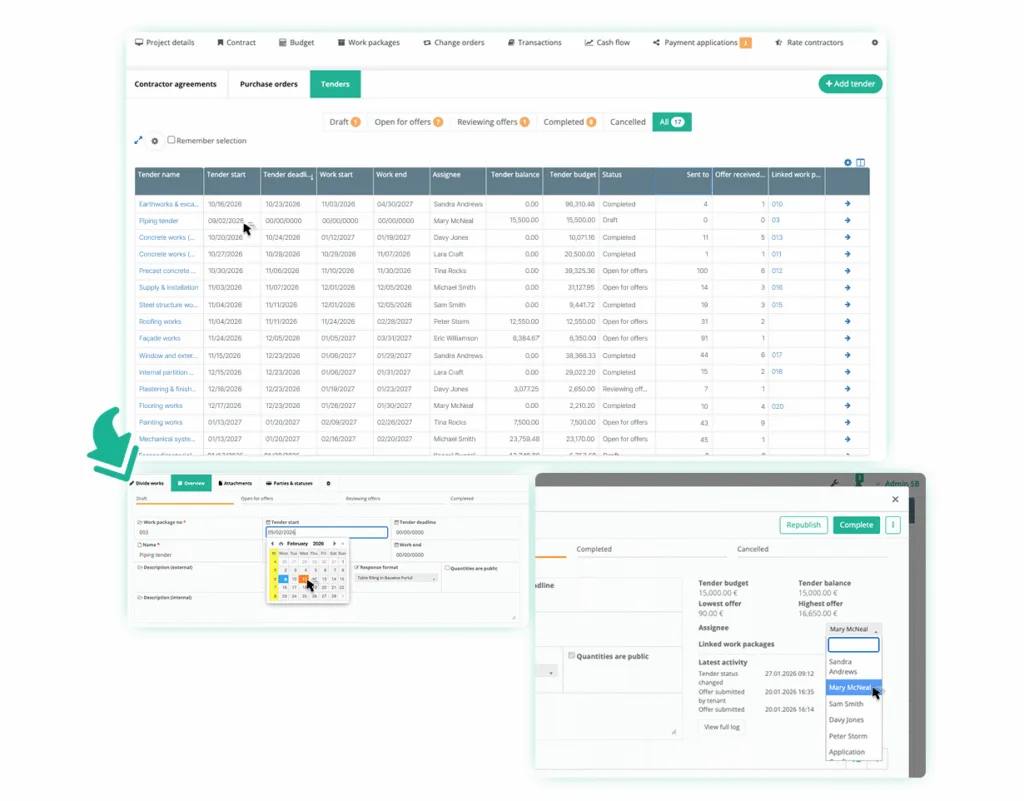
Prepare procurement plans that align tender activities with the project schedule — ensure each tender package is initiated at the right time. Identify upcoming and critical tender packages early, assign responsibility, reduce delays in procurement and maintain project schedule alignment. Improve forecasting and strengthen overall project delivery predictability.

  • Roll-out tenders based on prepared procurement plan
  • Assign responsible team members to specific tender packages
  • Provide a strategic procurement plan overview for executives, project teams and other construction stakeholders
  • Support single- and multi-project procurement coordination

Construction Cost Management​ Across 10,000+ Projects​

Managing €10B+ in Construction Budgets with Bauwise

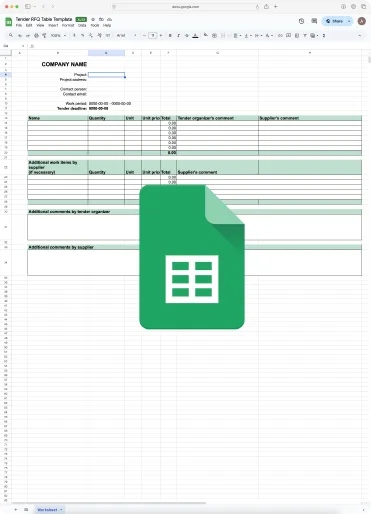
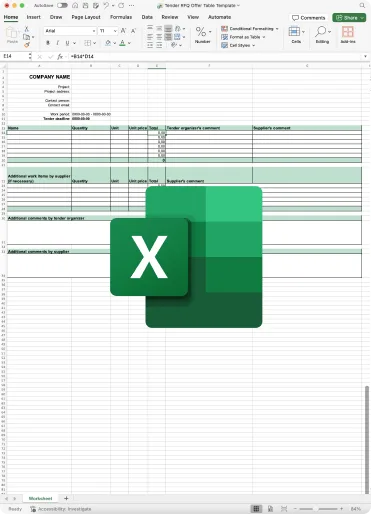
Construction Tender RFQ Table Templates

Use our free construction tender Request for Quotation (RFQ) table templates — download them as Excel file or access via Google Sheets.

What Commercial and Industrial General Contractors
and Real Estate Developers Say About Bauwise​

Explore More of Bauwise Construction Cost Management Software Capabilities

More of Bauwise Construction Cost Management Software Capabilities - Automated Construction Budgeting & Forecasting

Automated Construction Budgeting & Forecasting

Allocate budget based on construction stages or buildings. Track Forecast to Complete (FTC) and Estimate at Completion (EAC). Control budgets through versions and approval locks. Forecast profitability, manage accruals, and sync financial data with integrated accounting or ERP software.

More of Bauwise Construction Cost Management Software Capabilities - ERP & Accounting Software Integration

ERP & Accounting Software Integration​

Automate data flow between your ERP or accounting software and Bauwise. When integrated, construction-related invoices flow directly into Bauwise for approval and return to the ERP or accounting software enriched with data — cost allocations, budget lines, and approver info — no double work required. 

More of Bauwise Construction Cost Management Software Capabilities - Construction Cash Flow Forecasting

Construction Cash Flow Forecasting

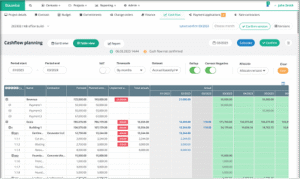
Get a structured, automated framework to plan, forecast, and monitor construction cash flow across all project stages. Generate cash flow forecasting baselines with one click, fill past periods with actual cost and revenue data, and align projections with the project’s Cost-at-Completion (CAC). Refine future forecasts, adjust monthly distributions, and manage approvals through version-controlled tracking. 

More of Bauwise Construction Cost Management Software Capabilities - Construction Purchase Orders & Contracts Management

Construction Purchase Orders & Contracts Management

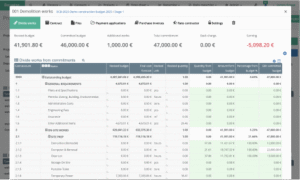
Automate commitments — create purchase orders (PO) and subcontractor contracts directly from budget lines. Manage scope changes, variations, and back charges from Applications for Payment (AfP) in real time. Track actuals, advances, and accruals at every stage. Allocate contingency reserves, forecast accurately, and centralize all vendor data for better procurement decisions. 

More of Bauwise Construction Cost Management Software Capabilities - Construction Change Order Management

Construction Change Order Management

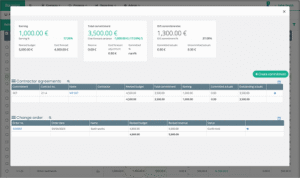
Track, review, and approve construction project scope changes. Submit change order requests with attachments, automatically calculate their impact on project cost, and adjust budgets upon approval. Maintain versioned audit trails and status tracking to ensure compliance, transparency, and project continuity.

More of Bauwise Construction Cost Management Software Capabilities - Construction Purchase Invoice Management

Construction Purchase Invoice Management

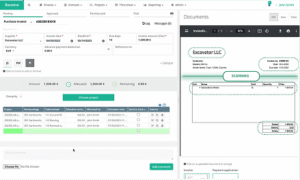
Automate purchase invoice processing with AI-powered data extraction, pre-defined approval workflows and unique invoice allocations. Link invoices directly to purchase orders (PO), contracts or Applications for Payments (AfPs). Manage consolidated invoices for multiple projects between different teams. Meet governance standards, and comply with internal financial policies.

More of Bauwise Construction Cost Management Software Capabilities - Construction Applications for Payment

Construction 
Applications for Payment

Accelerate month-end reporting between Contractors and Subcontractors by streamlining the Applications for Payment process into a structured, auditable workflows. Initiate change orders and track progress, apply retentions and back charges with full compliance. A dedicated Subcontractor portal, automated notifications, and digital validation keep all parties aligned.

Bauwise Construction Cost Management Software Capabilities - Bauwise Mobile App — 10 Reasons to Switch to Construction Management Software article

Bauwise
Mobile App

Review and approve construction invoices directly from your mobile device. Capture receipts and invoices — the Bauwise Mobile App uses AI-powered image recognition to extract data from images. Allocate receipts and invoices using Bauwise Purchase Invoice Management module.

try now

See for yourself how simple and efficient can construction tender management be

The typical learning time is just two sessions, while our software can save you up to 4 workdays per month

Cost Management Software Designed for Construction Executives and Their Teams

Construction Cost Management for Business Executives - Construction CEO

Construction Cost Management for Chief Executive Officers

Bauwise equips construction CEOs with an automated cost management tool to maintain financial control, efficiency, and profitability across expanding portfolios. The cost management software links budgets, forecasts, contracts, and purchase orders in one system, enforcing approval workflows that preserve budget integrity and accuracy. Chief Executive Officers gain real-time visibility into consolidated portfolio performance, safeguarding project continuity, automating reporting, and simplifying construction portfolio management.

Construction Cost Management for Business Executives - Construction CFO

Construction Cost Management for Chief Financial Officers

Bauwise provides an automated cost management solution for construction CFOs to obtain timely, verified financial data for cash flow and refinancing decisions. The software consolidates construction budgets, contracts, purchase orders, change orders, invoices, and Applications for Payment into a unified data source, ensuring all figures are validated, traceable, and audit-ready before reaching financial statements. Chief Financial Officers can track contingency budgets and risk reserves, gain visibility into liquidity, flag budget overruns early, and forecast portfolio-level cash flow.

Construction Cost Management for Business Executives - Construction Manager

Construction Cost Management for Project Managers

Bauwise helps Construction Managers and Division Managers ensure all construction project costs are reported and accounted for, using an automated construction cost management tool. The software tracks linked budgets, contracts, purchase orders, and change orders, so every commitment is recorded, allocated, and tied to the correct project and cost code. Construction and Division Managers can leverage automated purchase invoice and Application for Payment validation rules with audit trails, compare planned versus actual costs in real time, and monitor division-level performance across projects.

Cost Management Software for Construction Quantity Surveyors

Construction Cost Management for Quantity Surveyors

Bauwise supports Construction Quantity Surveyors with an automated cost management solution to plan and manage full cycle construction costs — from forecasting and tendering to variation valuations and reporting. The software reconciles interim valuations, change orders, and actual costs in real time, updating forecasts and Estimate at Completion (EAC) automatically once costs are approved. It generates RFQs and tender packages, standardizes bids formats, and applies approval workflows. Links approved variations to their related contracts and cost codes, calculating their budget, commitments and EAC impact.

Frequently Asked Questions

We’ve got your questions covered. If you can’t find the answer you’re looking for below, feel free to contact us.

Yes. Bidders receive a secure link to your tender where they can enter prices, upload documents, and submit revised offers. Bauwise automatically tracks every version so you can easily review the full offer history and compare quotations side-by-side.

The quotation comparison table displays all tender bidder offers based on your work breakdown structure. You can quickly spot pricing differences, missing values and key cost drivers, helping you make informed procurement decisions faster.

No. Bidders receive a secure tender link and can submit offers without creating a Bauwise account. This lowers entry barriers and speeds up tender participation.

Latest Posts

bauwise logo

Get Your Template

Fill in your details, and we’ll send the template straight to your inbox.

Dont see Calendly for booking? Click Here to open Calendly

bauwise logo

Build Smarter, Not Harder – Try Bauwise for Free for 14 Days

We use cookies on our website to give you the most relevant experience by remembering your preferences and repeat visits. By clicking “Accept All”, you consent to the use of ALL the cookies.