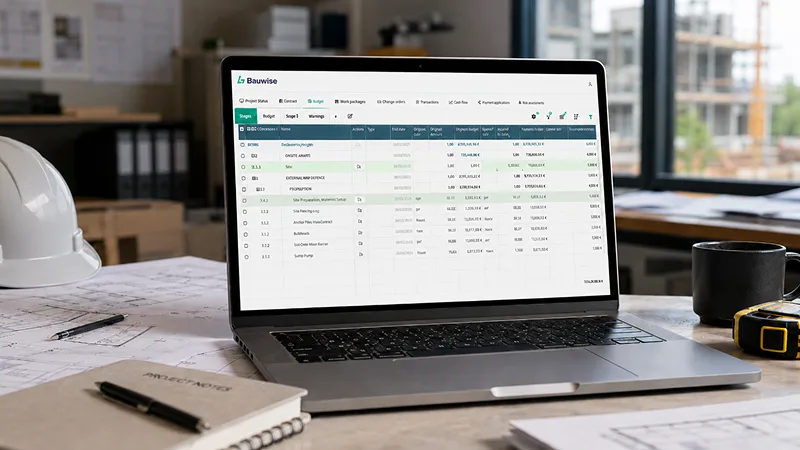
Construction tendering and bid management are critical parts of the construction procurement lifecycle. This is where main contractors turn defined work packages into subcontractor commitments that can be priced, compared, approved, and moved into contract creation. In this context, a construction tender is not just a request for prices — it is the control point where subcontractor commitments begin to take commercial shape.
On a typical main contractor project, where a large share of the works is delivered through subcontractors, each package can generate multiple supplier responses, revised offers, qualifications, unpriced items, participation changes, approval steps, and budget dependencies. While spreadsheets remain useful for reviewing and sharing bid comparisons, they cannot act as the live control layer for the dynamic tendering and bidding process. To make a commercially controlled, contract-ready award decision, the commercial team needs a connected view of each package’s price, qualifications, revisions, approvals, and budget position.
The main contract fixes the contractor’s obligations to the client on scope, cost, and programme, but those obligations are bought out through separate subcontract packages. When tender and bid communication for those packages is fragmented across emails, spreadsheets, and standalone tools, teams can quickly lose visibility between estimated costs, submitted bids, supplier qualifications, approvals, and resulting contract commitments. At this point procurement decisions can become disconnected from commercial control, creating blind spots in cost management. The consequence is not just administrative inefficiency — it can lead to direct cost exposure, programme slippage, prelims overrun, acceleration costs, liquidated damages exposure, variations, delay claims, or unrecoverable package costs.
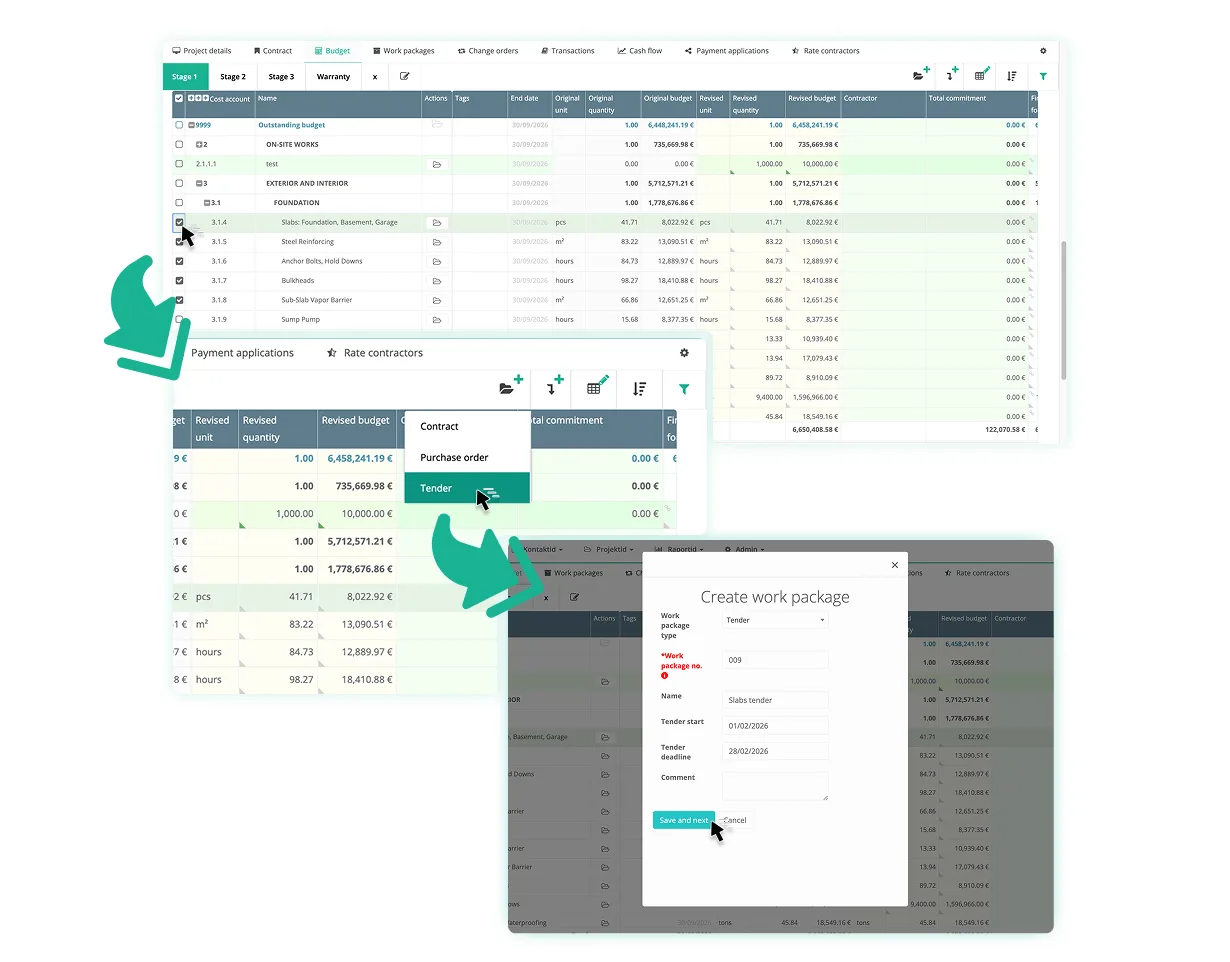
For construction industry tenders, closing those blind spots means keeping RFQs, tender returns, bid comparisons, approvals, budget alignment, and contract award connected as each package moves from supplier response to award decision. The latest Bauwise Tender Management capability was designed to address the challenge and close the gap between procurement and commercial control.
In this article, Bauwise Head of Product Management Kairi Rosen, who led the development of Bauwise Tender Management, answers the practical questions main contractors ask about the module and how it supports construction tenders with multiple suppliers in practice. Topics include bid comparison, supplier participation, tender rounds, comments and qualifications, missing line items, approval workflows, tender priorities, budget dependencies, cross-project material tenders, and the link between tender results, budgets, and contract creation.
Kairi Rosen comments:
“Our aim was to make the module practical for main contractors and their project teams, with workflows that reflect how subcontractor procurement actually happens on projects. We built the Tender Management capability together with active construction teams. The goal was not just to digitise tendering, but to keep tender packages, budget lines, bidder responses, approvals, and contract creation connected from estimate and into committed cost”.
Read more: Press Release: Bauwise Launches Construction Tender Management Capability
Table of Contents
Construction Tender Module: 10 Practical Questions from Main Contractors
Question 1. Is it possible to export bids to Excel? I mean exporting a full comparison of all submitted bids?
Kairi Rosen: Yes — you can download the full tender comparison table as an Excel file directly from the Overview tab. The exported table includes the latest submitted offer from each tender participant, giving you a side-by-side overview of all bids in one place. This makes it easy to review, share, or further analyse the results outside of Bauwise, especially when commercial teams need to involve consultants, quantity surveyors, or other project stakeholders.
Related resource: You can find construction tender RFQ table templates in Google Sheets & Excel formats here.
Question 2: Is there an option to approve or reject a selected supplier?
Kairi Rosen: Yes — Bauwise supports multiple tender rounds, allowing you to invite only selected participants to continue and gradually narrow down the shortlist. Once the commercial manager or project manager has reviewed the bids and chosen a preferred supplier, the decision can be sent for approval to a designated approver (e.g. a division manager). The approver can then either approve or decline the selection directly within Bauwise before any contract is created.
The approval workflow keeps supplier selection controlled before contract award, so the preferred bid is approved before it becomes a commercial commitment.
Question 3: Can a construction tender be launched before the project budget is created in Bauwise? For example, can we create tender line items manually even if the project is not yet fully set up in Bauwise?
Kairi Rosen: Yes, it is possible to launch a tender before the project budget is fully set up. Some teams do this within the actual project, while others use a separate preparation project as a workspace for early-stage tendering.
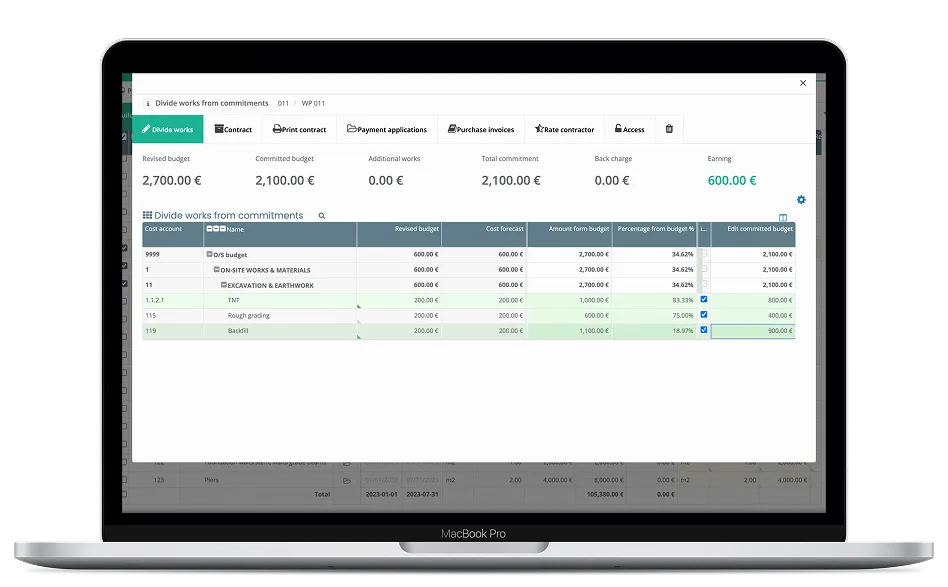
However, it’s worth noting that starting a tender without a proper budget structure means you won’t get the full benefits of the module. For example, contracts cannot be created directly from the tender with the correct budget lines already mapped — this alignment is only possible when the budget is in place. We therefore recommend setting up the project budget in Bauwise before launching tenders wherever possible.
Early tendering can still support price collection against a defined scope of works, but the strongest cost-control benefit comes when tender lines are connected to the project budget.
Question 4: If a supplier initially clicks “decline” in the invitation email but later agrees to participate, do we need to resend the tender? Also, if new suppliers are identified after the tender has already started, can they be added during the process and invited? Can the submission deadline be adjusted in such cases?
Kairi Rosen: No resend is needed — a supplier who initially declined can simply use their original invitation link to reopen the tender and indicate they would like to participate after all.
New suppliers can also be added and invited during the tender process, and the submission deadline can be adjusted if needed. Just keep in mind that any change to the deadline applies to all participants, not only the newly added ones.
Question 5: Where can suppliers provide additional notes or conditions, and how are these reflected in the bid comparison?
Kairi Rosen: Suppliers can add comments directly in the tender portal — either as line-level comments attached to individual work items, or as a general comment covering their offer as a whole. All comments are visible alongside the submitted offer in Bauwise, making it easy to review any conditions or notes in context when comparing bids.
Capturing comments in the tender keeps notes, conditions, and qualifications attached to the relevant price, so the team can evaluate the real commercial position of each offer.
Question 6: If a subcontractor does not submit all required line items, how is this reflected in the overall comparison table?
Kairi Rosen: Any line items left unpriced by a subcontractor will simply appear empty in the comparison table, with no value shown. This makes it easy to spot incomplete submissions at a glance when reviewing bids side by side.
Incomplete submissions remain visible at line-item level during comparison rather than being absorbed into a package total, so gaps are not masked by a supplier’s overall figure.
Question 7: Is it possible to compare bids using aggregated (grouped) cost items instead of detailed line items?
Kairi Rosen: Yes — the comparison table can be viewed in two ways: grouped by the structure the tender creator defined when setting up the tender, or grouped by work codes. This gives you flexibility to review bids at a summary level rather than line by line, making it easier to compare totals across different cost categories.
Grouped comparison helps teams review bids at both work-code level and package-summary level, depending on the stage of the award decision.
Question 8: Is it possible to run tender rounds with only selected participants?
Kairi Rosen: Yes — Bauwise supports a flexible multi-round tendering process. The tender organiser has full control over which participants are invited to submit offers at any stage. Rounds are facilitated through the feedback mechanism: the organiser can provide feedback to selected participants, who can then submit a revised offer in response. This process can be repeated as many times as needed and independently for different participants, allowing for structured negotiation without having to restart the tender from scratch.
Participant-specific tender rounds allow the team to negotiate with shortlisted suppliers while keeping each revised offer tied to the right bidder and stage of negotiation.
Question 9: Is it possible to set a priority for a tender — for example, when something needs to be purchased urgently?
Kairi Rosen: Yes — tender priorities can be managed using the Tags functionality in the project tenders view. Tags can be set up to reflect any priority system that suits your workflow, such as “High”, “Medium”, and “Low”, or any other labelling convention your team prefers. This makes it easy to identify and filter urgent tenders at a glance.
Tender tags help procurement teams separate urgent buyout actions from lower-priority tenders across the project list.
Question 10: Is it possible to combine tenders for material supply across multiple projects — for example, to purchase a larger quantity of the same material?
Kairi Rosen: Yes — this can be achieved by creating a dedicated project in Bauwise specifically for managing cross-project material tenders. By centralising these tenders in one place, teams can consolidate quantities across multiple projects and go to market with a single tender, making it easier to negotiate better pricing through larger order volumes.
Cross-project material tendering supports consolidated purchasing where volume across projects can be used to negotiate more competitive rates.
Read also: Construction Tendering Explained: Procurement, Bids, RFQ, Automation and More
Conclusion
Effective construction cost management starts before contract award, when subcontract package decisions are still being shaped. When tender management is connected to budgets, approvals, bidder responses, and contract creation, commercial teams can make earlier, better-informed decisions about each package. For main contractors, that means fewer blind spots between procurement and financial control, clearer visibility of package exposure, and a stronger basis for moving from tender result to committed cost.
Bauwise Tender Management supports that by keeping tender activity linked to the commercial data teams need to manage construction costs beyond procurement and throughout project cost control.
Learn more about Bauwise construction cost management software — explore how SIRIN Development brings faster, more transparent construction budget control across its 500,000 m² logistics portfolio, and other case study.
About the Author

Kairi Rosen
Kairi Rosen, an accomplished engineer and Head of Product Management at Bauwise, stands out as a visionary in digitalizing the construction industry. With a robust construction engineering and management background, her journey is marked by a commitment to integrating digital solutions to enhance business processes and efficiencies.