
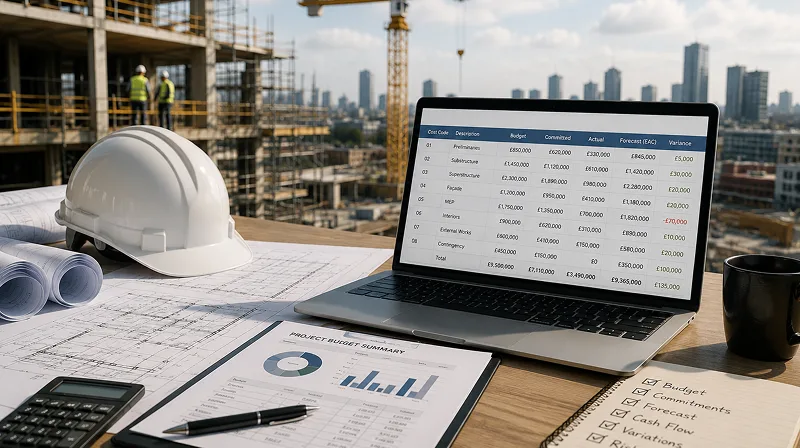
Running a cost-effective, profitable construction portfolio demands real-time visibility into budget vs. actual costs, tight control over commitments, reliable variation and risk management, as well as keeping site, commercial, and accounting data connected through a live Cost Value Reconciliation (CVR) process across the project lifecycle.
With so many cost control options available to UK contractors, the products on the market provide a variety of fundamentally different scopes of the construction workflow: some are designed to manage the entire project lifecycle, from BIM model coordination to live schedule tracking, others focus specifically on commercial control, with native two-way integration with the accounting and ERP systems, as well as options that cover individual workflows like job costing or invoicing. Comparing solutions on features alone is why contractors end up either paying for capability they’ll never touch, or picking a tool that lacks the cost management depth to fit their growing portfolio needs.
Picking the best construction cost management software starts with identifying how much of your workflow needs to live inside one system. From there, narrow within that category based on portfolio complexity, the accounting workflow you already run, and whether the people entering and managing costs — subcontractors, project managers, quantity surveyors, finance — will actually adopt and keep using the software once the initial rollout is completed.
Lastly, when it comes to selecting an effective cost management tool, it needs to accommodate UK market requirements — CIS deductions and VAT domestic reverse charge chief among them — though the selected tool doesn’t need to calculate these itself. As long as that data is carried over accurately from a connected accounting system, the requirement is covered. The same applies to how a project is measured and contracted: the tool should be flexible enough to fit whatever convention the contractor already works under — NRM or SMM7 for how costs are broken down, JCT or NEC for how variations get raised and priced — rather than forcing the project onto a different structure than the one it’s actually run on.
Table of Contents
1. Identifying How Much of the Construction Workflow the Cost Management Software Needs to Own
When it comes to choosing the most suitable construction cost management software, it should always start with identifying how much of the workflow the software needs to own, and how deep the commercial function needs to go. This distinction can be broken down into three practical categories — all-in-one platforms, dedicated commercial control systems, and entry-level cost tools.
1.1 All-in-One Cost Control Platforms
All-in-one cost control platforms are best suited for megaprojects, multi-year infrastructure programmes, and BIM-heavy commercial developments, where cost control needs to live inside the same system as the design model, the schedule, RFIs, and site documentation. At that scale, a design change has to update the budget, the delivery schedule, and the relevant drawing revisions and RFIs together, since the coordination risk of managing those processes apart outweighs the cost of a single unified platform spanning the full project lifecycle from design and procurement through to delivery and closeout.
That breadth comes with a trade-off: implementation is heavier, the learning curve is steeper, pricing sits at a premium, and the commercial control layer is rarely as deep as a dedicated system built for cost management.
1.2 Dedicated Commercial Control Systems
Dedicated commercial control systems are best suited for contractors and developers running multiple concurrent, subcontractor-heavy projects whose field and delivery processes already work well, but whose commercial team has outgrown spreadsheet-based cost control. These contractors need commitment-driven cost control — visibility into what’s already committed against budget, not just what’s been invoiced, consolidated across every live project rather than reviewed job by job.
Rather than replacing scheduling, document management, or accounting systems already in place, tools in this category serve as the commercial control layer between them: subcontract valuations, applications for payment, forecast cost-to-complete, and cash position across the whole portfolio are centralised in one place, with budget and cost codes structured to match however the contractor already measures and administers work. The accounting system keeps the transaction history, while the commercial control layer keeps the commitment and forecast position.
1.3 Entry-Level Cost Tools
Entry-level cost tools are best suited for construction businesses running one or a few jobs at a time, focused on estimating, quoting, invoicing, and job profitability rather than the WBS standardisation or cash-flow consolidation a multi-project portfolio requires. At this scale, keeping some admin in spreadsheets alongside the tool isn’t the liability it becomes once multiple projects and people are involved — with one job at a time, there’s no fragmented, competing version of the same data to reconcile, so a lighter tool covering the core commercial basics is enough.
As project volume grows, the first real gap that opens up is portfolio-level consolidation — standardised cost coding and cash flow visibility across several live jobs at once — which is what a dedicated commercial control system provides. That’s usually the next step rather than a full all-in-one platform, since design and BIM coordination aren’t what these businesses have outgrown.

2. Narrowing Down the Cost Control Fit for Your Construction Business
Once you’ve identified which category fits — all-in-one, dedicated commercial control, or entry-level — three factors narrow down the right choice inside it: how your portfolio is structured, the accounting workflow you already run, and whether internal and external stakeholders will actually use the tool.
2.1 Why Is Construction Portfolio Complexity Integral to Selecting the Right Cost Control Software?
Portfolio complexity still matters inside whichever category you land in. A dedicated commercial control system used across a handful of concurrent projects needs a standardised WBS and cost code structure so budget vs. actual and cost-to-complete roll up into one CVR view, rather than being reconciled manually project by project. For CAPEX portfolios spanning multiple legal entities — separate SPVs per project, or a parent company with several trading subsidiaries — the driving concern is usually liquidity, not just project count.
Each SPV typically carries its own project finance debt and drawdown schedule, so the real question at portfolio level is whether cash can be seen and moved across entities as individual projects’ cost-to-complete and forecasts shift. Budget vs. actual and CVR discipline still happen at the individual project level, but they exist to feed an accurate, consolidated cash position upward, not as a separate reporting exercise running alongside it.
Within all-in-one platforms, portfolio complexity is less about the number of concurrent projects and more about the duration and technical demands of a single programme — a multi-year infrastructure scheme or a BIM-heavy development needs the same unified system whether it’s one job or three, because the coordination risk comes from the project’s own intricacy, not from running several jobs at once. Within entry-level tools, portfolio complexity barely factors in — once a business is running enough jobs at a time to need cost-to-complete or cash flow consolidated across them, it’s outgrown the category rather than needing a bigger version of the same tool.
Pricing on most platforms scales with the number of projects or users, so getting this wrong in either direction has a direct cost: paying for portfolio-level reporting a smaller operation doesn’t need, or landing on a structure too flat to consolidate a growing number of jobs.
Read more: Construction Cost Value Reconciliation (CVR) Best Practices for Main Contractors
2.2 What Accounting Workflow is Currently Used for Construction Cost Tracking?
One of the biggest misconceptions is that stronger cost control requires replacing the accounting system. In reality, accounting and commercial management solve different problems. Accounting software records financial transactions that have already occurred — approved invoices, payments, VAT, CIS deductions, and financial reporting. Commercial teams, however, spend most of their time managing commitments that haven’t yet reached the ledger: purchase orders, subcontract valuations, anticipated variations, payment applications, forecast cost-to-complete, and expected cash flow.
Effective construction cost management software sits between project delivery and accounting, syncing natively with the accounting system while giving commercial teams the tools to manage future project performance. That integration prevents data entry errors, reduces manual reconciliation, and catches budget and forecast drift early. This is also where CIS deductions and VAT domestic reverse charge sit — both are accounting-system functions, so the integration needs to carry that data through accurately rather than the cost tool trying to calculate it separately.
Many contractors with a fully implemented accounting system still run core commercial workflows in Excel, regardless of how mature their cost control is. Spreadsheets stick around because they’re familiar and flexible enough to be reshaped to individual preferences and working processes — which is exactly why replacing them outright often meets resistance. That flexibility becomes a liability as the business scales and more people touch the same numbers: one file holds the latest variations, another tracks purchase orders, a project manager keeps a separate forecast, and finance updates actuals in the accounting system on its own timeline. By the monthly CVR review, the commercial team spends more time reconciling those versions against each other than reviewing project performance.
2.3. Does the Construction Cost Management Software Suit Internal and External Stakeholders’ Use Needs?
A construction cost management tool can match portfolio complexity and integrate with the existing accounting system, and still fail if it doesn’t fit how commercial teams actually work. Cost and contract managers, project managers, site teams, finance, subcontractors, consultants and auditors all interact with project cost differently, and a tool that ignores those differences pushes teams back to spreadsheets, email, and manual reporting — undoing the centralised cost control the platform was meant to provide.
The software needs to support each stakeholder’s workflow rather than just forcing everyone into the same interface. Your PM and site teams need fast entry for logging daily site progress and costs, flagging variations as they arise, and checking remaining budget before committing to further work — a simple, low-friction interface, unlike cost and commercial managers, who need full budget-preparation and cost reconciliation depth. Finance and commercial teams, meanwhile, need the portfolio view, cash flow forecasting, and risk/contingency allocation and drawdown control across every job to keep budgets on track and protect project margins.
External stakeholders also change the requirements depending on their role. Subcontractors need to submit invoices, applications for payment, and variation requests directly through the system instead of email or paper, with CIS deduction status carried through from the connected accounting system, so internal teams aren’t re-keying figures or deduction calculations that could have come in directly. Consultants — architects, engineers, quantity surveyors, or project managers acting in an advisory capacity — need broader visibility across cost, contract, and schedule data to support budget management, JCT or NEC-based contract administration, and risk mitigation. Auditors, meanwhile, need the tool to provide a reliable audit trail for periodic compliance review.
It is also critical for a construction cost management tool to control the level of access granted, dependent on role and approval authority. This directly affects onboarding time and adoption risk — a tool with role-specific, simplified views for non-finance users onboards faster and gets used by the entire team. One that shows the same dense interface to everyone tends to get used only by finance, with cost tracking back to spreadsheets within a few weeks.
3. Key Features to Look For in a Cost Management Software
Since the right software depends on how much of the workflow it needs to own, the features worth prioritising differ by category rather than following one universal checklist.
3.1 Features to Look For in All-in-One Cost Control Platforms
- 5D BIM integration — syncing the design model, schedule, and cost simultaneously
- Native integration with design authoring tools (CAD, Revit) — model updates flow into cost and schedule without manual re-entry
- RFI, submittal, and drawing revision tracking — tied directly to the budget
- Document control and site logs — feeding real-time progress data into cost tracking
- Full ERP-grade functionality — payroll, procurement, and corporate governance
- Multi-entity project management — a single system across multiple business units or legal entities
3.2 Features to Look For in Dedicated Commercial Control Systems
- Accounting integration — supported two-way sync with your accounting software that allows CIS and VAT reverse charge to be carried through automatically once integrated
- Cost coding and WBS setup — flexible enough to match NRM, SMM7, or a custom breakdown used at tender
- Commitment and variation tracking — purchase orders, subcontract awards, and variations reflected in the forecast as soon as they’re committed, not when invoiced
- Applications for payment and invoice management — certified against committed cost and approved budget before reaching accounting
- Subcontractor self-service — submitting applications for payment and variation requests directly, instead of by email or paper
- Cash flow forecasting — consolidated across every live project at portfolio level, not project by project
- Role-based access and audit trail — controlled visibility by role, with every change logged for compliance review
3.3 Features to Look For in Entry-Level Cost Tools
- Job costing by cost code — tracking spend against a simple budget breakdown
- Quoting and estimating — for pricing individual jobs before they start
- UK-localised pricing data — built-in material and labour rate catalogues for faster, more accurate quotes
- Invoicing — issued directly from job costs and progress
- Fast onboarding and a low learning curve — usable without training or a dedicated commercial team
4. Best Construction Cost Management Software for UK Contractors, by Category
Once you know your category, these are the specific tools worth evaluating — though which one fits best still depends on the portfolio complexity, accounting workflow, and stakeholder adoption covered in section 2.
4.1 Best All-in-One Cost Control Platforms for UK Contractors
| Software | Best For | Key Strength |
| Procore | Large-scale commercial main contractors | Full lifecycle visibility from preconstruction to closeout, ties field data (RFIs, drawings, site logs) directly into budget health |
| Autodesk Forma | BIM-heavy, technically complex projects | Native CAD/Revit integration keeps the 3D model, schedule, and cost structure in sync automatically as the design changes |
| RIB iTWO | Contractors managing mega-projects | 5D BIM — model, timeline, and cost synchronised for end-to-end expected vs. actual cash flow |
| Eque2 | Finance-first organisations with large accounting departments | Complete ERP backbone integrated with Microsoft Dynamics or Sage — payroll, high-volume job costing, corporate governance |
4.2 Dedicated Commercial Control Systems for UK Contractors
| Software | Best For | Key Strength |
| Bauwise | Contractors and developers with multiple concurrent, subcontractor-heavy projects | Commitment-driven cost control and portfolio cash-flow forecasting, integrated with existing accounting or ERP |
| 4castplus | Larger contractors and owners running major/EPC-scale projects who need dedicated project-controls software | Budgeting, forecasting, and change order management natively integrated with procurement, without touching design or scheduling |
| Payapps | Main contractors and subcontractors needing standardised, auditable progress claims and variations | Purpose-built payment claims and valuations workflow that plugs into existing ERP or accounting rather than replacing it |
| LiveCosts | Subcontractor-heavy teams needing real-time cost visibility | Real-time labour, material, and subcontractor cost tracking without exposing full accounting access |
4.3 Entry-level cost tools for UK Contractors
| Software | Best For | Key Strength |
| Buildxact | Small builders (1–20 employees) | Estimating, quoting, and job costing with Xero/QuickBooks sync |
| EstimatorXpress | Small-to-mid residential and domestic builders | UK-localised material catalogues and labour constants for fast quoting |
| TrackSite | Small UK builders and trades | Straightforward cost control without enterprise complexity |
| Contractor Foreman | Growing teams on a budget | Comprehensive job costing at an affordable price |
Conclusion
Picking the best construction cost management software doesn’t have to be the overwhelming exercise it first looks like, once you stop comparing feature lists across dozens of similarly worded products and start with the question of how much of the workflow needs to live inside one system. Narrow within that category by portfolio complexity, accounting workflow, and who’s actually entering costs day to day, and the shortlist usually comes down to two or three genuine options.
From there, request a free trial alongside any demo. A demo shows what a tool can do in principle, while a trial run against a live project — real subcontractor variations, real month-end numbers, used by the site and commercial team who’ll actually be entering the data — shows whether it holds up in practice. That’s the difference between cost management software the team keeps using after the first project, and software that quietly stops getting opened.
Read also: 7 Effective Tips on How to Deal With Construction Project Cost Overruns
About the Author

Mikk Ilumaa
Mikk Ilumaa is the CEO of Bauwise, a leader in construction financial management software with over ten years of experience in the construction software industry. At the helm of Bauwise, Mikk leverages his extensive background in developing construction management solutions to drive innovation and efficiency. His commitment to enhancing the construction process through technology makes him a pivotal figure in the industry, guiding Bauwise toward setting new standards in construction financial management. View profile